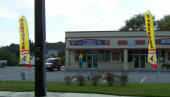
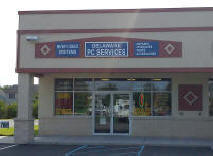
Delaware PC Services, LLC.
20660 Coastal Hwy unit 4
Rehoboth Beach, DE  19971
(302) 226-5424

Like US on FaceBook!

Computer Sales & Service

   Home  |  FREE Evaluation  |  Computer Repair  |  Laptop Repair  |  MAC Apple Repair |  Remote Repair  |  Tools for DIY     |  About US


New Computers
Used Computers
New Laptops
Used Laptops
Laptop Adapters
Laptop Parts
Keyboards & Mice
** Data Recovery **
Computer Cases/Monitors
Video Cards & Adapters
Power Supplies & Testers
SATA, SSD & IDE Drives
SCSI & SCA Hard Drives
Hard Drive Enclosures
Hard Drive Adapters
iPhone 4 & 5, iPad Stuff
USB Cables & Hubs
Network & Wireless
Routers & Cable Modems
Network Cables, Adapters
Rack Mount Hardware
Security Camera & DVRs
Find us on a Map
Google Map
Yahoo Map
Mapquest
Yelp


Business Hours
 Monday - Friday 10am to 6pm
Saturday 10am to 4ish
Closed - Sunday
(302) 226-5424


Delaware PC Services, LLC Best computer, PC and MAC repairs in Delaware, located at 20660 Coastal Hwy Rehoboth Beach Delaware in the Sea Coast Center, Always FREE Evaluation No Appointment Necessary. Open 6 days a week. Virus and Spyware Removal only $89.99.


Delaware PC Services, LLC.
20660 Coastal Hwy unit 4
Rehoboth Beach, DE  19971
Ph. (302) 226-5424

Directions: Head south of the Rehoboth Beach entrance, on 1, Coastal Highway, over the bridge on the right in the Seacoast Center - before Dewey Beach.
 

We have both tool kits and free tools for the job you are doing

The best way to determine what tools you need for a specific job, like tools required to replace Mac book a1466 screen..
from Chatgpt.com:

1. P5 Pentalobe screwdriver

For the 10 bottom-case screws on most A1466 models.

2. T5 Torx screwdriver

For internal screws on some components, depending on the model year.

3. T8 Torx screwdriver

Useful for certain display-hinge or internal fasteners, depending on the revision.

4. Plastic spudger

For disconnecting the battery connector and delicate display cables without using metal tools.

5. Fine-tip tweezers

For handling small connectors, tape, and cable retainers.

6. Screw organizer and ESD protection

Keeps screws sorted by location and helps protect sensitive electronics from static electricity.

* give us a list, if we have them, they are yours.

Another example: tools required replace SSD Hard Drive Alien M18 R2

1. Phillips #0 precision screwdriver

Required

Used to remove the bottom cover screws and the SSD thermal shield screws.

2. Plastic spudger or pry tool

Required

Helps release the laptop's bottom cover without scratching or damaging the casing.

3. Anti-static wrist strap

Recommended to protect the SSD and motherboard from electrostatic discharge.

4. Small screw tray

Optional, but useful for keeping the different screws organized.

Before you start

  • Shut down the laptop completely and disconnect the AC adapter and peripherals.

  • Remove the bottom cover carefully.

  • Disconnect the internal battery before handling the SSD.

  • Keep track of the screws and avoid touching the SSD's electrical contacts.

Important: Check your SSD type

The Alienware m18 R2 supports different M.2 SSD sizes depending on the slot and laptop configuration: M.2 2230 and M.2 2280 in slots one and two, with configurations determining which additional slots are available.


©2024 Delaware PC Services, LLC. All rights reserved.

 Delaware PC Services, LLC. has no associations with any other company implied or otherwise.