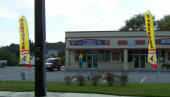
Delaware PC Services, LLC Best computer, PC and MAC repairs in Delaware, located at 20660 Coastal Hwy Rehoboth Beach Delaware in the Sea Coast Center, Always FREE Evaluation No Appointment Necessary. Open 6 days a week. Virus and Spyware Removal only
$89.99. |
 |
Install Windows 11 with a local account |  |
|
You can set up Windows 11 with a local account instead of a
Microsoft account using different methods depending on your Windows
11 build.
-
Proceed with Windows 11 setup until the Choose
a country screen appears.
-
Press Shift + F10 to
open Command Prompt.
-
Type OOBE\BYPASSNRO and
press Enter to
disable the online account requirement.
-
After the reboot, press Shift
+ F10 again and type ipconfig
/release, then press Enter to
disconnect from the internet.
-
Close Command Prompt and continue setup.
-
Click I don’t have Internet when
prompted.
-
Select Continue with limited
setup if shown.
-
Enter a username, password, and security questions to complete
local account creation.
|
|
Using start ms-cxh:localonly (Builds 26120+) | |
|
-
Continue setup until the Sign
in screen appears.
-
Press Shift + F10 to
open Command Prompt.
-
Type start
ms-cxh:localonly and press Enter.
-
Enter a local username and password (optional).
-
Complete the installation process.
|
|
Using Registry Edit to Bypass NRO | |
|
-
At the region settings page, press Shift
+ F10 to open Command Prompt.
-
Type reg
add HKLM\SOFTWARE\Microsoft\Windows\CurrentVersion\OOBE /v
BypassNRO /t REG_DWORD /d 1 /f and press Enter.
-
Type shutdown
/r /t 0 and press Enter to
restart.
-
After restart, press Shift +
F10 again and type ipconfig
/release to disconnect.
-
Continue setup, choose I don’t
have internet, then Continue
with limited setup.
-
Create your local account credentials and finish setup.
|
|
|  |
|